How to Use Apple AI to Enhance Your Writing
By Khanh NguyenCreative Design & User Experience Specialist, Pixel Commerce Studio
December 10, 2025
Struggling with writing? Learn how to use Apple AI's Writing Tools to proofread, rewrite, and summarize text, making you a more effective communicator.

Writing Made Easier with Apple AI
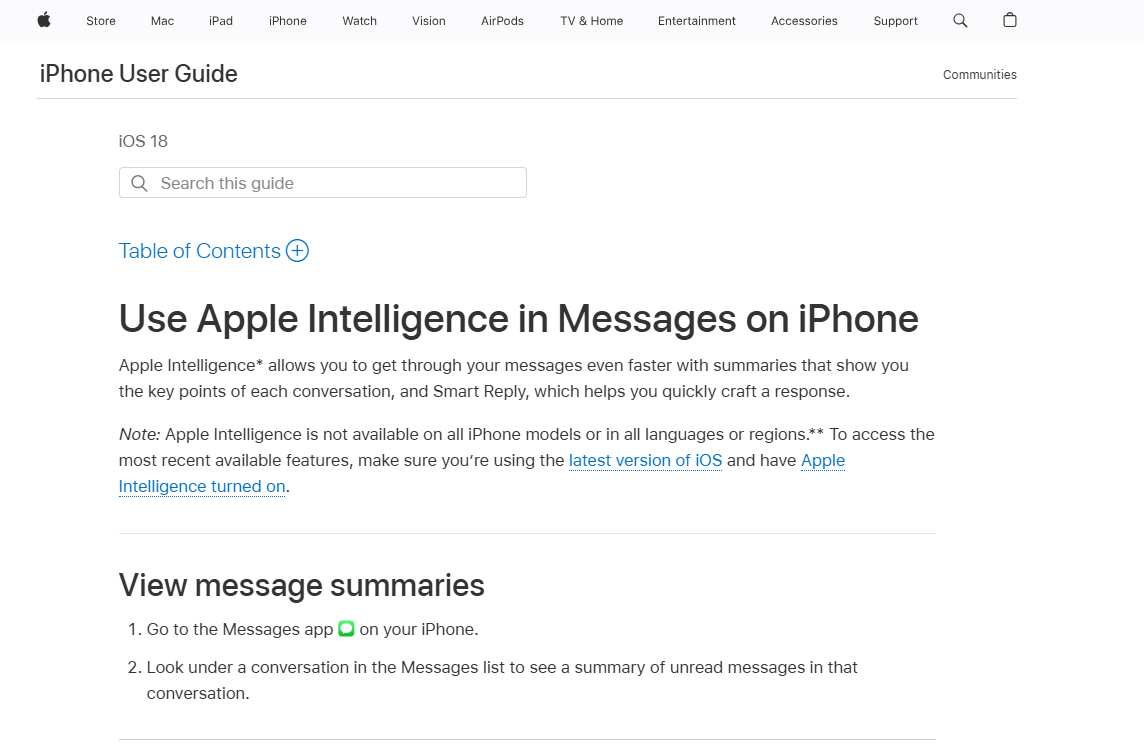
Learning how to use Apple AI for writing can dramatically improve your communication skills and efficiency. Apple’s new Writing Tools are deeply integrated across iOS, iPadOS, and macOS, meaning you can access them virtually everywhere you write. In the past, you might have had to rely on separate apps for grammar and style. Now, however, these powerful features are built right into the system. As a result, you can refine your writing without breaking your workflow.
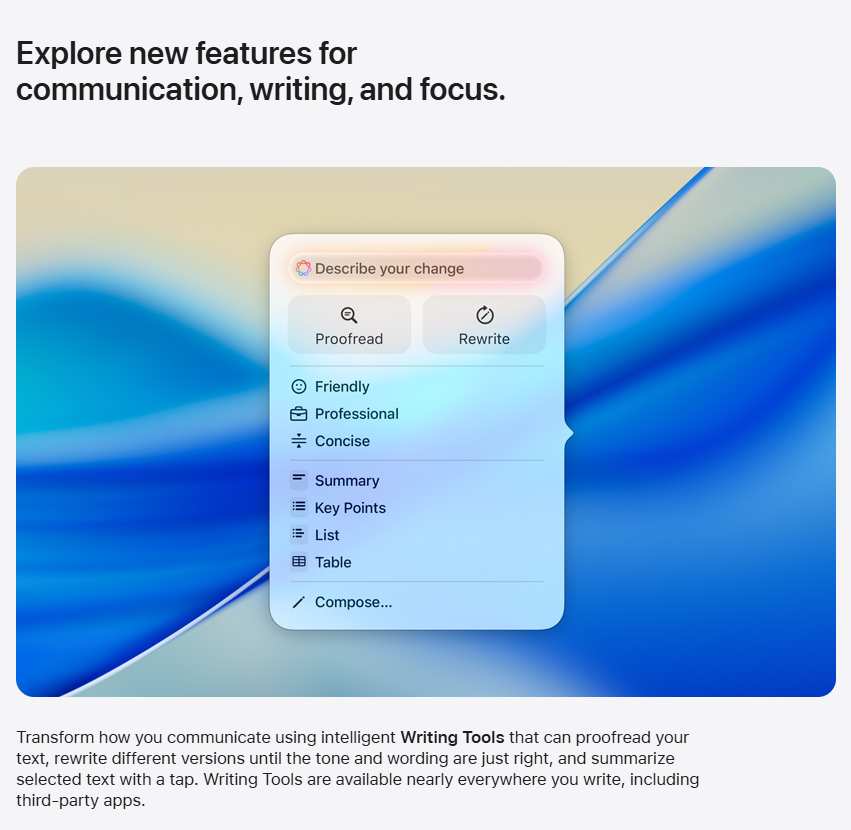
First and foremost, the Proofread feature is a powerful tool for catching errors. It goes beyond simple spell-checking and can identify grammatical mistakes, punctuation issues, and stylistic problems. It provides suggestions for corrections, which you can accept with a single tap. In addition, the AI can explain the reasoning behind its suggestions, helping you learn and improve your writing over time. Most importantly, this ensures your text is always polished and professional.
Next, you can use the Rewrite feature to refine the tone and style of your writing. If you need to make a message more professional, friendly, or concise, you can simply select the text and let the AI do the work. For example, if you've written a casual text to a colleague and want to turn it into a more formal email, you can use the Rewrite tool to make the transformation. Consequently, this helps you tailor your message to different audiences effortlessly.
Furthermore, the Summarize feature is an invaluable tool for both reading and writing. You can use it to create a quick summary of a long email you've received, helping you quickly understand the key points. In addition, when writing, you can use it to create a concise summary of a long document or a key list of bullet points. This helps you to be more direct and clear in your communication, which is especially important in a business context.


Stay Ahead — Join the Pixel Insider List
Want more strategies on marketing, branding, technology, AI tools, or eCommerce growth?
Subscribe to get:


Like This Blog? Explore More from Pixel Commerce Studio
Dive into more insights across our most popular categories: